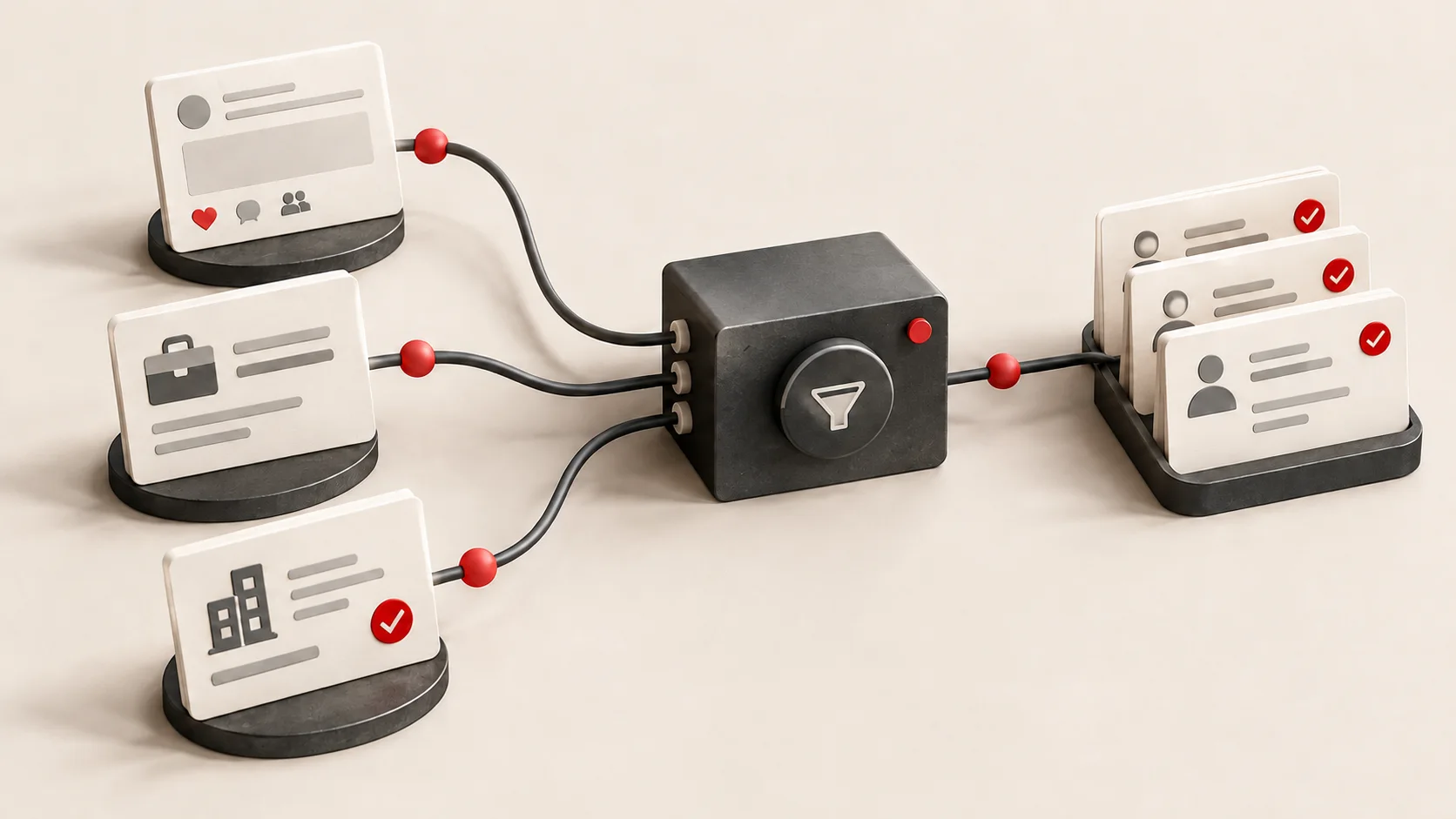
Before your next sales call, how much research will you do by hand? Finding the next person worth speaking to can mean opening LinkedIn profiles, checking company websites and copying contacts between sales tools.
Here at Swiss Product Studio, we have built automations for sales teams using both AI and regular workflows without AI. That research can run automatically, with qualified prospects and their company information delivered to the tools your team already uses.
These three examples show how we have connected prospect discovery, qualification and delivery, and what we learned from building them.
What is sales automation for prospecting?
Sales automation for prospecting connects the steps used to find potential customers, research them and check whether they fit your business. It can collect information, apply qualification rules and deliver suitable prospects to your sales tools, with AI handling analysis where useful.
How do workflows and AI agents differ?
A sales process can combine three approaches:
| Approach | What it does in sales |
|---|---|
| Rules-based workflow automation | Follows predefined steps. For example, route an enquiry to a specific team based on the country or canton selected in a form. |
| AI within a workflow | Analyses information gathered by predefined steps. For example, collect LinkedIn and website information, then ask AI to produce one account report. |
| AI agent | Chooses its next steps using the information it finds. For example, research an incoming prospect and decide whether to reply using your qualification criteria. |
In a workflow, you define the sequence and where AI analysis fits. An agent can choose among the research tools and actions you have made available to it.
Can a small business benefit from sales automation?
In its KMU Digital Pulse 2026 study, Lucerne University of Applied Sciences and Arts (HSLU) surveyed 504 marketing decision-makers in Swiss SMEs. It found that 21% used AI in marketing, while 44% saw no clear benefit or need for AI in their own marketing. 1
From our experience building automations for sales teams, we would challenge the idea behind that 44%. We believe any business with someone looking after existing customers or reaching out to potential customers can benefit from AI and automation, regardless of its size.
Walk through the sales process with a team that has built these automations before. Where do prospects come from? Who researches them? What makes them worth approaching? Which information gets copied between tools? Those steps can reveal work your team no longer needs to repeat manually.
This also applies to businesses without a dedicated sales team. A founder, account manager or operations colleague may be handling sales alongside their other work. In our view, these can be some of the busiest teams, with even more to gain from having research and administration handled for them.
Before the meeting: three prospecting automations we have built
1. Turn LinkedIn engagement into a qualified prospect list
Before we built this, the client was not using LinkedIn engagement for prospecting. People were showing interest in relevant topics, but nobody was researching them as potential customers. That opportunity was being missed.
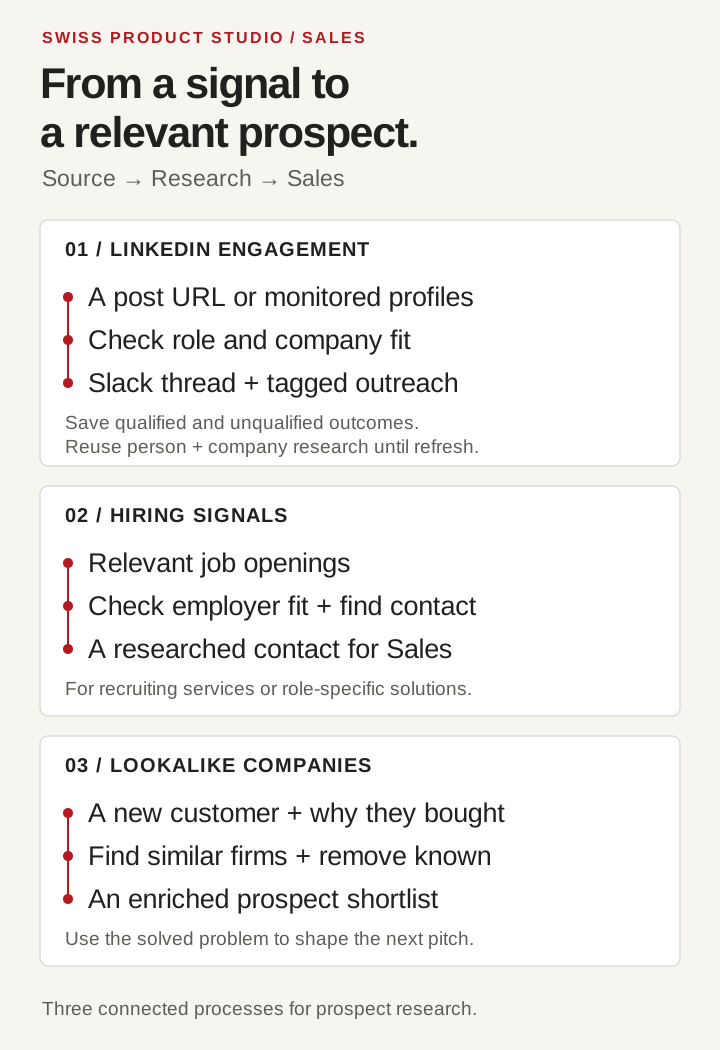
In our first implementation, the client pasted a LinkedIn post's URL into Slack. The automation collected and qualified the people who had engaged, returned the results in the same Slack thread and sent qualified contacts to the cold outreach platform. Tags identified the post each contact came from.
The team reviewed the lists at first. Later, the process ran automatically, with qualified contacts going straight into the outreach platform. We saw meetings booked from this prospecting channel.
The client chose the posts themselves, usually after seeing one with a lot of likes or comments. For each new person, we checked their role, employer and whether that company fitted the client's ideal customer profile, or ICP. Only people who qualified moved further into the sales pipeline.
The useful personalisation came from researching the person and their company beyond that single interaction. It gave the team context for outreach about the prospect's business and role, rather than a generic “I saw you liked this post.” Engagement started the process, but to make the outreach truly unique and precise, we combined it with automated research.
We saved both qualified and unqualified results in the database, with their qualification status. Otherwise, the next post could trigger the same research for someone we had already assessed.
Company records matter too. Several people from the same business may engage with different posts. The automation can reuse existing company research when assessing another person from that employer, rather than researching the business again.
You can set a refresh period for those assessments. For example, you might research a person or company again after six months. Someone may have changed jobs, or their company may have launched a service that makes it relevant to your offer. The interval should reflect how quickly your market changes.
We have since worked on versions that regularly check selected industry thought leaders' profiles and process their posts through the same approach. Your team can choose individual posts in Slack or have the discovery run regularly around relevant profiles.
What we learned: saving qualification results for both people and companies prevents repeated research. An agreed refresh period lets the process revisit those decisions when the information may have changed.
2. Use hiring signals to find prospective customers
We have built recruitment lead-generation automation that finds employers advertising relevant roles, checks company fit and collects the information needed to approach them. 2 The process connects job searches with company qualification and contact research.
For recruitment agencies: imagine an agency specialising in finance roles, with a pool of candidates it already knows. Companies hiring for those positions are potential customers for its recruiting services. The automation scans platforms such as LinkedIn or country-specific job boards and checks the employers against the agency's ICP.
Before automation, teams searched these platforms manually or waited for an employer to contact them. A recurring search lets recruiters approach relevant employers proactively without repeating the searches themselves.
For other product and service businesses: a company hiring for a particular role may be worth researching because your solution could help the new employee do their work. The same approach can find those employers, research their needs and identify the right person to contact.
The job advert provides the starting signal. Company research and contact discovery give the sales team the context to assess the opportunity and explain how the solution could help.
What we learned: a recruiter sees an employer that might need candidates. A software or service business sees a role whose work it can support. Hiring searches and outreach need to reflect which opportunity you are looking for.
3. Find lookalike companies using the reasons your customers bought
A company becoming your customer is a useful signal to research businesses with similar needs. In our lookalike company discovery work, the aim was to use what a won customer had taught the sales team to guide its next prospect search. 3
Country, company size and revenue can help define that search. Include the reasons the customer chose your solution too. Which problem were they trying to solve? What made your offer relevant? What changed that made buying worthwhile?
Those answers sharpen your ICP. A specific problem you solved gives the team something to look for when researching other companies.
In the system we built, company information becomes a search profile for finding similar businesses. Candidates are checked against existing records before new companies are enriched and returned to the sales team.
The customer's reasons for buying also inform your next pitch. You can explain the relevant work you have done and ask whether the prospect faces the same issue.
What we learned: use the reasons a customer bought to shape both your next prospect search and the conversation you start. Company attributes help narrow the list; the problem you solved helps explain why your offer could matter.
Get more sales automation ideas
These examples cover prospect research. We will share more examples for later stages of sales outreach, including follow-ups and customer re-engagement, in upcoming articles.
Get our sales automation guide for 20 examples covering prospecting, inbound enquiries, deal progress and customer recovery. 4 The download page asks for your personal LinkedIn profile URL.
To discuss your own process, book a first call with Swiss Product Studio. Bring the sources you research today and the sales tools your team uses.
Sources and further reading
The implementation details and lessons above come from Swiss Product Studio’s own work. Sources below were checked on 23 October 2026.
- Lucerne University of Applied Sciences and Arts (HSLU). Artificial Intelligence in the Marketing of Swiss SMEs — KMU Digital Pulse 2026. Survey of 504 marketing decision-makers, including the AI adoption and perceived-benefit findings. ↑1
- Swiss Product Studio. Lead generation for recruitment agencies. Published case covering job searches, employer qualification and contact research. ↑1
- Swiss Product Studio. Find similar companies from your best customers. Published case covering company matching, duplicate checks and enriched prospect lists. ↑1
- Swiss Product Studio. Sales automation guide. Twenty examples across prospecting, inbound enquiries, deal progress and customer recovery. ↑1